Private RAG
What Is RAG?
Large language models are powerful, but they only know what was in their training data. When you need answers grounded in your documents — internal wikis, uploaded files, proprietary data — general knowledge isn’t enough. You need Retrieval-Augmented Generation (RAG).
RAG can take different forms. You can retrieve from the live web using our search API, or you can retrieve from your own private documents using embeddings and a vector store. This demo covers the latter — private RAG — where the LLM response is grounded in your organization’s documents.
RAG solves this in three steps: index your documents, retrieve the relevant content, then generate a grounded answer from it. The model never needs to memorize your data — it just reads the right pieces at the right time.
How RAG Works
RAG follows three steps: Index, Retrieve, and Generate.
Index
Your document is split into small, overlapping chunks of text. Each chunk is converted into a vector embedding — an array of numbers (e.g. [0.21, -0.87, 0.54, ...]) that encodes the meaning of that text. Chunks with similar meaning produce similar vectors, which is what makes semantic search possible.
Those vectors are stored in a vector store — either in-memory for a simple demo like this one, or in a dedicated database like Pinecone, Weaviate, or pgvector for production.
Retrieve
When a user asks a question, it’s run through the same embedding model we used in the index step to produce its own vector. The vector store finds the closest matches — the passages most semantically related to the question. There are many ways to measure that similarity (cosine similarity, dot product, Euclidean distance); this demo uses cosine similarity, which is the default for the vector store we’re using.
This is why a question like “What movies involve a kid and a father?” can surface content about Interstellar even if the word “father” never appears in the text.
RAG Strategies
There’s no single way to build a RAG system. The right approach depends on your data size, latency requirements, and how often your documents change.
This demo uses the simplest strategy: in-memory RAG. The index is built from the uploaded file at request time and discarded afterwards — no database, no disk writes. It’s a clean way to understand the fundamentals before adding persistence.
Why You.com for Generation?
The retrieve step finds the right content. The generate step turns it into something useful. That’s where the You.com Express Agent comes in.
It’s a fast, capable LLM endpoint designed for exactly this pattern: receive a context block, answer only from it, stream the response back. Key advantages:
- Streaming by default — responses stream token-by-token, keeping latency low even for long answers
- No hallucination pressure — explicitly prompted to answer only from the provided context
- No mandatory web search — tools are opt-in, so the agent stays focused on your documents
- Simple API — one SDK call with the
expressagent type
The result is an agent that reads your documents and writes coherent, grounded answers — not general-knowledge guesses.
Full Working Example
We’ve built a complete sample app you can clone and run locally:
- GitHub: youdotcom-oss/ydc-private-rag-sample
- Live demo: https://you.com/examples/rag
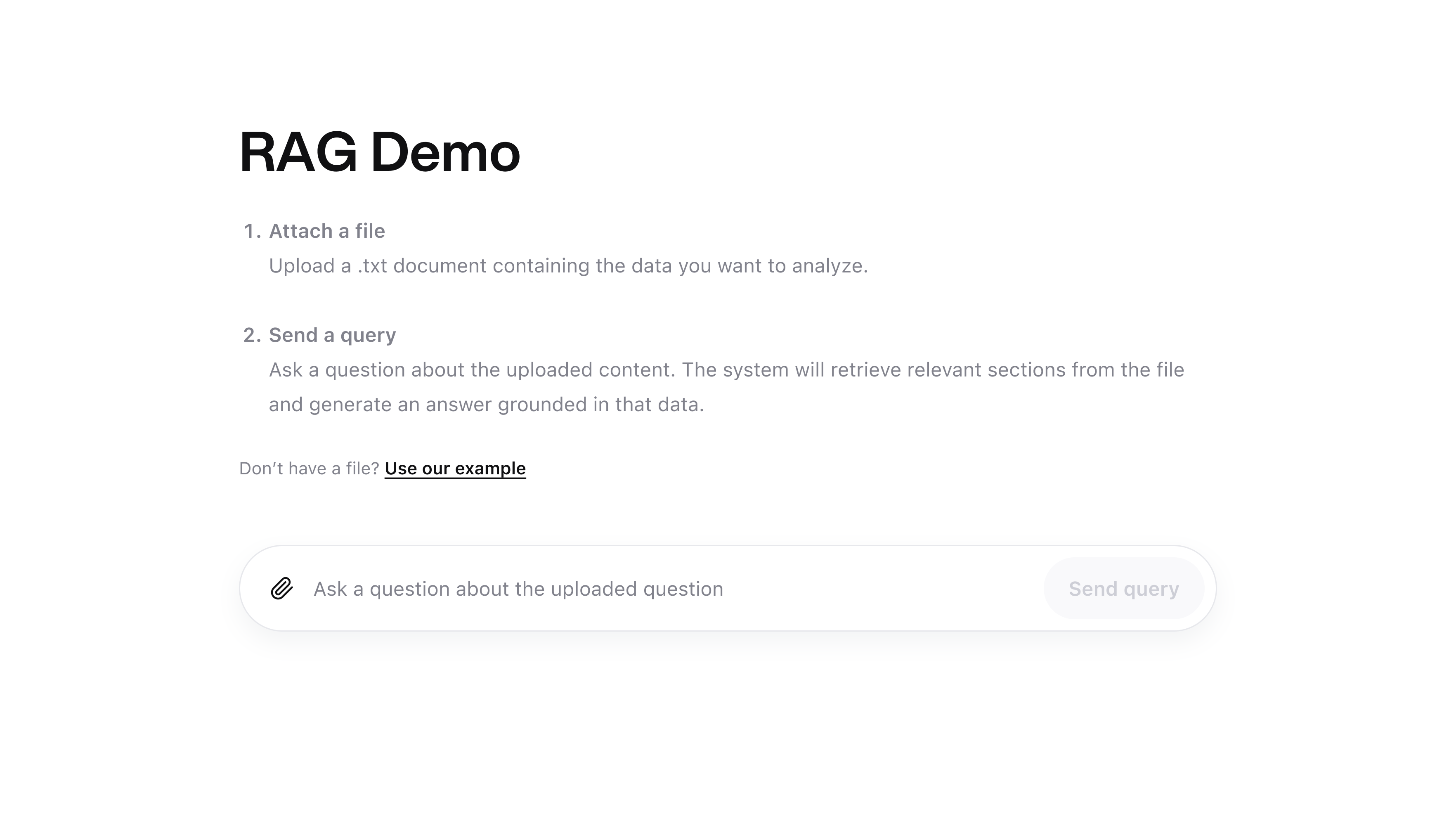
The app is a Next.js project. Upload a .txt file (or use the built-in example), ask a question, and get a streamed answer grounded in that document. Embeddings run entirely on-device via BAAI/bge-small-en-v1.5 — no data leaves your machine during the indexing step.
Enter your You.com API key in the UI, upload 1 or more files, and ask away.
How the Code Works
The app has two files worth understanding: the API route that runs the RAG pipeline, and the UI that drives it.
app/api/query/route.ts — Index, Retrieve & Generate
This is where all three RAG steps happen server-side.
At the top of the file, the embedding model is configured globally via LlamaIndex’s Settings object. The right model for your use case will depend on your latency requirements, accuracy needs, and whether you want to run embeddings locally or via an API — this demo uses a small, fast, on-device model, but production systems often swap in a hosted model like OpenAI’s text-embedding-3-small.
Build the index
buildIndex() takes the uploaded file text, wraps each file in a LlamaIndex Document, and calls VectorStoreIndex.fromDocuments(). Because no storageContext is provided, the entire index lives in memory for the lifetime of the request and is gone afterwards. In a production system you’d replace this with a persistent vector store — Pinecone, pgvector, Weaviate, and Chroma are all common choices — and build the index once rather than on every request.
LlamaIndex handles splitting each document into overlapping chunks and embedding them automatically.
Retrieve the top chunks
retrieve() embeds the user’s query using the same model, runs a similarity search against the in-memory vector store, and returns the top 3 most relevant chunks for the users question.
Build the prompt and stream the answer
The chunks are formatted into a numbered context block and injected into the prompt alongside the original question. The You.com Express Agent is explicitly instructed to answer only from the provided context, then streams its response token-by-token back to the browser.
app/page.tsx — The UI
The browser handles file selection, reading file contents as text, posting everything to /api/query, and streaming the response back into the UI.
Reading files and sending the request
Files are read as plain text in the browser using the File API and sent in the request body alongside the query and API key. No server-side file storage is needed.
Reading the streamed response
The response body is a ReadableStream. The UI reads it chunk-by-chunk and appends each decoded token to the displayed answer as it arrives.
Further Reading
If you want to go deeper on RAG concepts and production patterns:
- Retrieval-Augmented Generation for Knowledge-Intensive NLP Tasks — the original RAG paper from Meta AI
- LlamaIndex Docs: Building a RAG Pipeline — the library used in this demo for chunking and retrieval
- Pinecone: What is RAG? — a practical guide to RAG with production considerations
- You.com Express Agent Reference — full API docs for the agent used in the generate step
- Research API — if your use case involves searching the web rather than private documents, the Research API handles retrieval and synthesis for you
Building a RAG System at Scale?
If you’re building a RAG system for your enterprise — whether that’s over internal documents, proprietary data, or large knowledge bases — You.com offers solutions designed for production scale. Talk to our team about your use case.
Resources
- You.com Express Agent Reference
- TypeScript SDK (
npm install @youdotcom-oss/sdk) - GitHub: ydc-private-rag-sample
- Discord

