Research
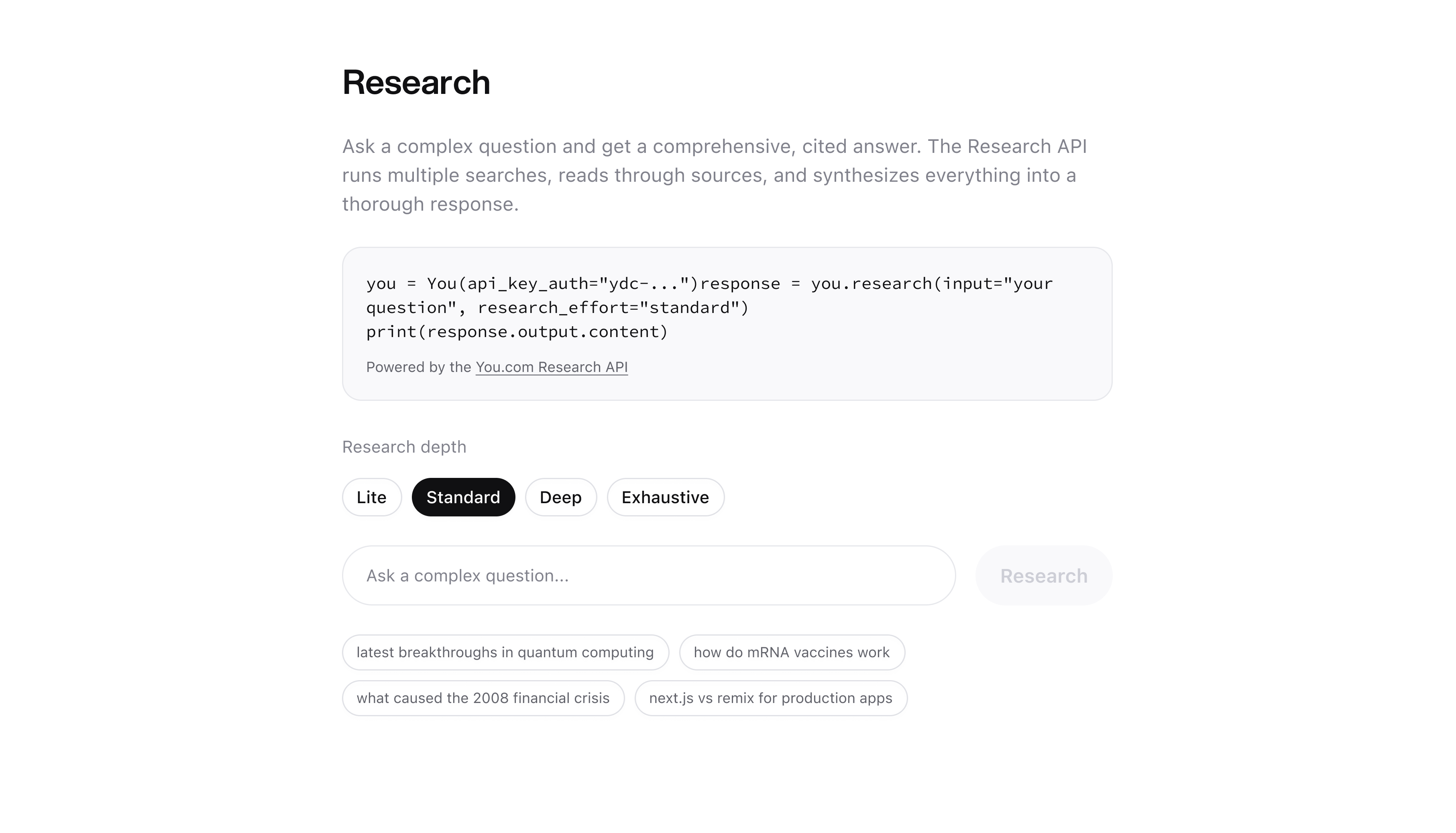
When a Simple Search Isn’t Enough
You’ve used the Search API. You send a query, you get back a list of web results. Titles, URLs, snippets. It works great for quick lookups, building search UIs, and feeding results into RAG pipelines.
But some questions need more than a list of links. Questions like “what are the latest breakthroughs in quantum computing” or “how do mRNA vaccines work” need someone (or something) to actually read through dozens of sources, cross-reference them, and write up a coherent answer with citations.
That’s what the Research API does. It’s like having a research assistant that reads the web and writes you a report with footnotes.
What You’ll Build
By the end of this guide you’ll be able to call the Research API in Python or TypeScript and get back comprehensive, cited answers to questions of varying complexity.
Here’s the difference between Search and Research for the same query:
Search API returns raw results:
Research API returns a synthesized, grounded answer with inline citations:
Same question, fundamentally different output. Search gives you building blocks. Research gives you the finished product.
Why This Approach
What the Research API Does Under the Hood
The Research API doesn’t just run one search. It’s powered by the You.com search index, purpose-built for speed, accuracy, and relevance. Instead of relying on third-party search providers, the Research API searches and reads pages directly from this index. That means lower latency, fresher results, and better extraction quality than you’d get stitching together external services yourself.
On top of that index sits an agentic system that does the actual research. It doesn’t follow a fixed pipeline. Instead it works in an iterative loop:
- Reads your question and decides what to search for
- Searches the web and reviews the results
- Visits promising pages and extracts the relevant content
- Decides whether to search again, visit more pages, or start writing based on what it’s found so far
- Repeats until it has enough information (controlled by the effort level you choose)
- Synthesizes everything into a cited markdown answer
The agent adapts its research strategy as it goes. A question about quantum computing might lead it down a different path than one about financial regulations. Higher effort levels give the agent more time to iterate, which means more searches, more pages read, and a more thorough answer.
Because the search index, page extraction, and synthesis are all built and optimized together, the Research API can deliver results that would be difficult to replicate by chaining separate tools.
When to Use Research vs Search
Use Research when:
- The question requires reading and synthesizing multiple sources
- You need a cited, comprehensive answer (not just links)
- You’re building report generation, fact-checking, or deep analysis features
- Your users expect a written answer, not a list of results
Use Search when:
- You need raw results fast
- You’re building a search UI or autocomplete
- You’re feeding results into your own RAG pipeline
- You need fine-grained control over result filtering (freshness, country, language, livecrawl etc.)
Prerequisites
You need two things:
- A You.com API key. Get one at you.com/platform
- The SDK for your language:
That’s it. No other dependencies needed.
Step-by-Step Walkthrough
Python
TypeScript
Full Working Example
We’ve built a complete sample app you can fork and deploy:
- GitHub: youdotcom-oss/ydc-research-sample
- Live demo: https://you.com/examples/research
The repo includes:
research.pyis a standalone Python CLI scriptapp/api/research/route.tsis the Next.js API route using the TypeScript SDKapp/page.tsxis the React frontend with effort level picker and markdown rendering
To run it yourself:
Customization Guide
Effort Levels
The research_effort parameter controls how deep the Research API digs. Higher effort means more searches, more sources read, and more thorough analysis.
Choosing the Right Effort Level
litefor anything you’d normally just google but want a synthesized answer instead of clicking through linksstandardwhen you’re not sure. It’s the sweet spot for most use casesdeepwhen accuracy and thoroughness matter more than speedexhaustivewhen you need to be really sure. Compliance checks, investment research, technical deep dives
Response Format
The API returns a structured response:
output.contentis a markdown string with numbered inline citations ([1], [2], etc.)output.sourcesis an array of sources, each with URL, title, and relevant snippets- Citations in the content map to the sources array by index
What’s Next
Now that you can call the Research API, here are some directions to explore:
- Research API Reference. Full API docs with all parameters and response fields.
- 10 Creative Ways to Use AI Web Search & Research in Your n8n Workflows. Automate research with n8n workflows.
- Simple Search Sample. If you need raw search results instead.
- Full API Docs. Documentation for all You.com APIs.
- Get an API Key. Sign up and start building.
Resources
- Research API Reference
- Python SDK (
pip install youdotcom) - TypeScript SDK (
npm install @youdotcom-oss/sdk) - GitHub: ydc-research-sample
- Live Demo
- Discord

